 Get BillBack for Android
Capture and check.
Photograph a receipt or import an image or PDF. Review the scanned merchant, date and amount, then add a tag or note.
 Open web app
Stop matching a spreadsheet to a phone full of receipt photos. Keep each receipt with its expense, then export the summary and supporting images in one PDF.
Get BillBack for AndroidAvailable on Android and the web.

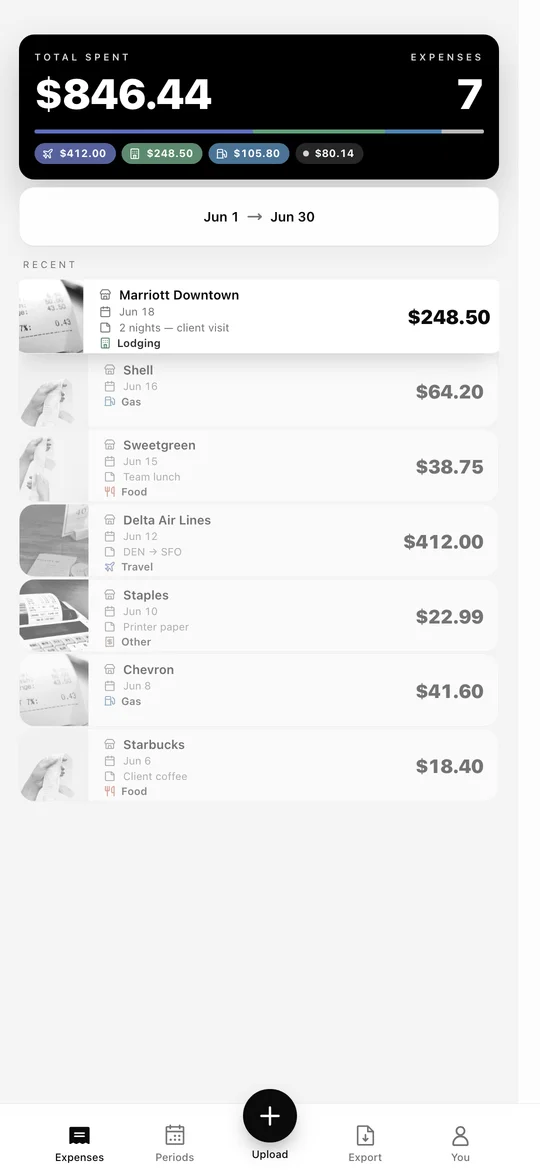
Photograph a receipt or import an image or PDF. Review the scanned merchant, date and amount, then add a tag or note.
Pick a reporting period or use manual selection to include the expenses you need. Add notes for anything that needs context.
Generate your PDF. Review its totals and supporting receipt pages, then download it and send it to your employer or client.
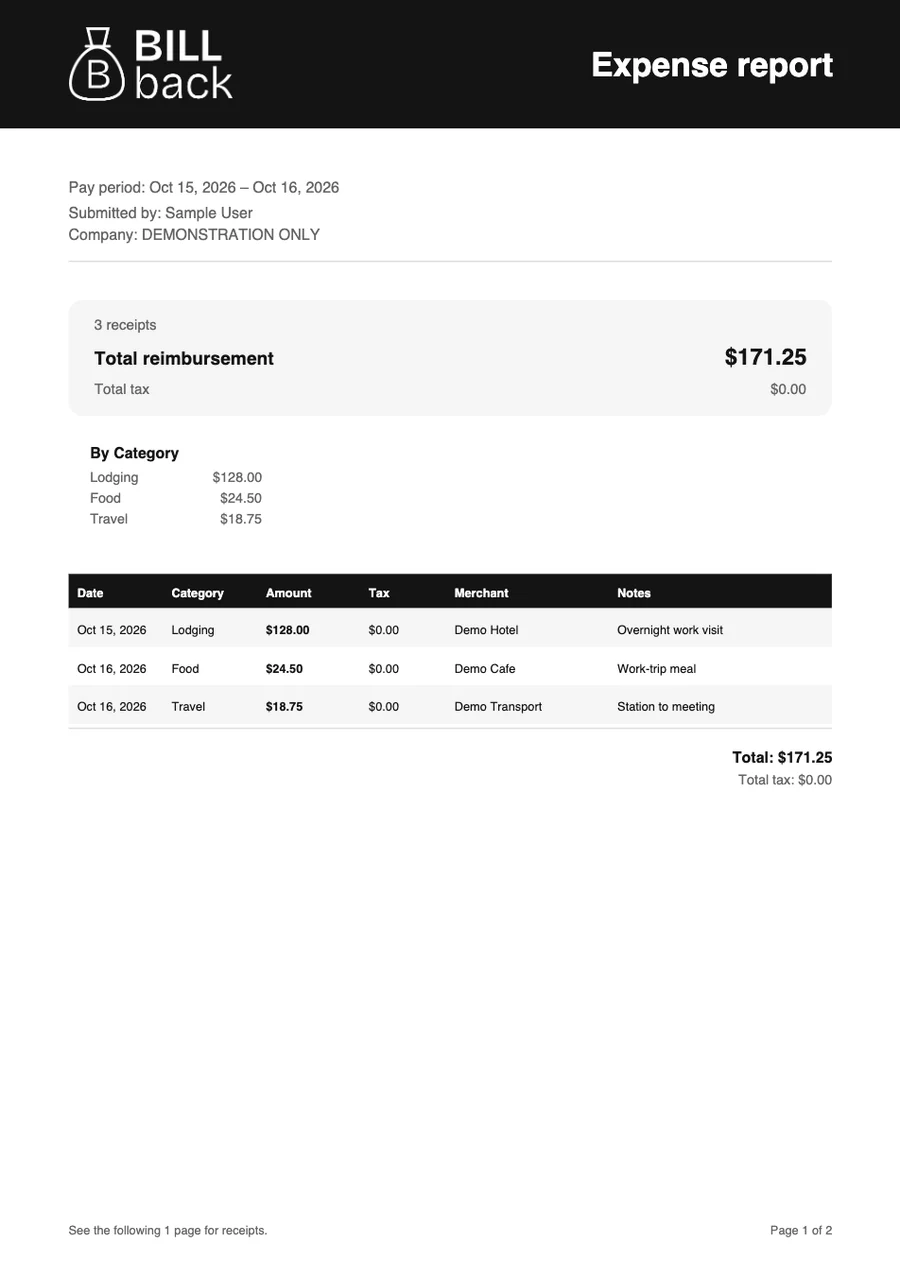
Export an itemized PDF with the receipt images included. Share it with your employer, client or accountant.
Yes. BillBack creates an itemized PDF report with receipt images for the expenses you select.
Yes. You can export a reporting period or hand-pick expenses using manual selection. Review your selection and total before creating the PDF.
That depends on your employer’s requirements. Check their required fields, submission system, receipt rules and reporting deadlines. BillBack does not guarantee acceptance or replace an employer’s approval process.
No. The exported report is a PDF that your reviewer can open in a standard PDF viewer. Follow your employer’s or client’s usual submission process.
Check the report before sharing. Replace or correct an unreadable receipt and resolve any missing-image warning in the app. A summary amount is not a substitute for the supporting receipt your reviewer requires.
Add it to BillBack while you still have it.